
MEGA
Screenshots
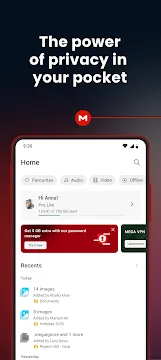
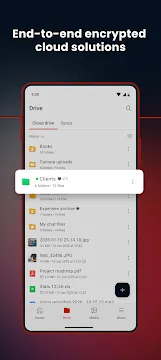
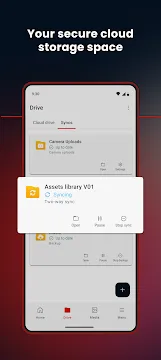
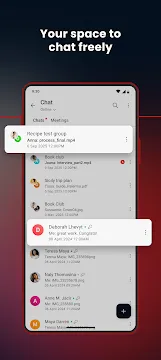
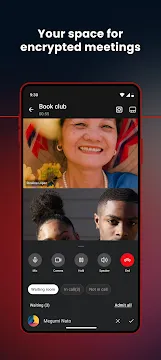
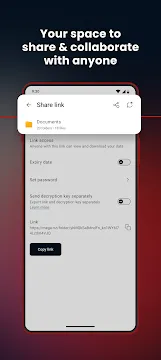
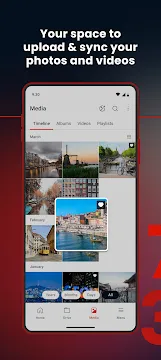

MEGA provides an excellent way to store your data safely. You can upload large documents and photos directly from your phone. Then, you can download them on another device whenever you need them. This platform protects your data with very strong privacy tools. For example, it uses client-side encryption. This means your files get scrambled before they leave your device. Consequently, nobody else can read your files. Not even the company workers can see your private pictures. This secure environment makes the tool highly reliable. Furthermore, the interface remains simple and easy to use. Anyone can learn to navigate the system within a few minutes. You just need to create an account first. After that, you can enjoy plenty of free cloud space.
What is MEGA Cloud Storage?
MEGA cloud storage represents a unique system for online file management. The creators designed the service to focus on absolute user privacy. Unlike other options, this platform encrypts all data on the client side. This means encryption happens on your mobile phone before transmission. Therefore, the company cannot read your personal files or pictures. You remain the sole owner of your secret decryption key.
However, this feature means you must remember your password carefully. If you lose your recovery key, you lose access permanently. The platform offers a generous twenty gigabytes of free space immediately. You can expand this limit by completing small tasks. For example, you can install the desktop client to earn rewards. Consequently, many mobile users select this option over competitors.
Furthermore, the system allows you to stream your media files directly. You do not need to download a full video to watch it. Instead, you can play it inside the app interface. This feature saves precious space on your physical device storage.
Core Features of the MEGA App
The system includes several tools to help manage your data efficiently. Users can perform multiple operations inside the simple interface. Here is a list of the primary tools available to you:
- Automatic Camera Sync: You can back up your photos automatically. The app saves every picture immediately after you capture it.
- Encrypted Chat Functions: You can message your friends securely. The system secures your audio calls, video calls, and text messages.
- Link Customization Options: You can create download links for anyone. Paid members can add expiration dates to these links.
- Offline File Access: You can select specific files for offline viewing. Then, you can read documents without an active network connection.
- File Version History: The app tracks changes made to documents. Therefore, you can restore older versions if you make mistakes.
Moreover, these features cooperate perfectly to guarantee a smooth user experience. You can organize your items into custom folders. Then, you can rename or move them easily. The system works quickly even when handling very large folders. Because of this speed, file transfers finish in a short period.
How to Configure MEGA Cloud Storage
Setting up your new account requires attention to specific steps. First, you must open the app and select the registration option. Then, enter a valid email address and choose a strong password. You should combine letters, numbers, and special symbols for maximum safety. Next, you must verify your email by clicking the link sent to your inbox.
After validation, MEGA creates your unique encryption keys. This process takes a few seconds to complete. Then, the app asks you to save a backup recovery key. You should copy this key and store it in a physical location. For instance, write it down on a piece of paper. Do not store it online where hackers might find it.
Once your profile becomes active, you can configure the backup settings. You should navigate to the options menu inside the interface. Then, look for the media upload settings. You can enable automatic uploads for videos and photos. Moreover, you can restrict uploads to happen only during Wi-Fi connections. This restriction prevents the system from consuming your mobile data package. Finally, your MEGA cloud storage becomes fully operational and ready.
Benefits of Using the MEGA APK File
Downloading the installation file directly offers several advantages for advanced users. Sometimes, official stores restrict downloads in specific geographical regions. Therefore, obtaining the package manually bypasses these artificial blockades. You can install the file on any compatible tablet or smartphone instantly. Then, you gain full access to the secure backup platform.
Furthermore, manual installation allows you to choose older versions of the software. This option becomes helpful if a new update causes bugs on your phone. Older packages often run better on legacy operating systems. Consequently, you maintain stable access to your personal files without performance drops.
Another benefit involves the transparency of the client software. The developers publish all source code on public repositories like GitHub. Therefore, security experts can examine the programming details regularly. This openness ensures that the file contains no hidden malware or spyware. You can install the package with confidence because community members verify its safety. Next, you can enjoy fast download speeds through the direct server network. The file size remains small, so installation finishes rapidly.
Final Thoughts on MEGA Cloud Storage
This platform provides exceptional data management options for mobile device owners. MEGA cloud storage successfully combines heavy privacy features with an easy user interface. Therefore, standard consumers can protect their data without technical degrees. You get twenty gigabytes of free room immediately upon registration. Then, you can manage your files effortlessly from any place.
However, users must accept the responsibility of managing their security keys. Because the system uses zero-knowledge encryption, password recovery depends entirely on you. If you lose the recovery details, the company cannot assist you. Therefore, you should maintain multiple physical backups of your master key. This simple habit keeps your data accessible forever.
In short, the tool remains a reliable asset for file security. It protects your digital records from leaks and outside interference. If you want a secure home for your photos, try this service today. You will appreciate the high speed and private communication tools.